Keep separate setups for work, games, demos, or a particular device.
A calmer way to use scrcpy on Windows
Save the setup.
Launch the moment.
A Windows notification-area launcher for named, reusable Android screen-mirroring sessions.
What is scrcpy? scrcpy is a free, open-source tool that mirrors and lets you control an Android device from your computer over USB using ADB. scrcpy-launcher saves the commands you use with it.
Get the latest release ↗ Read the user guide
Current release: v0.8.0 · Windows 11 · installer or portable ZIP · no account requiredWhat's new in v0.8.0
- Background discovery work is bounded and stale requests are safely discarded.
- Windows subprocess setup and scrcpy session lifecycle behavior are documented.
- Runtime validation and configuration saves perform less redundant work.
Less repetition, more control
Your sessions, ready when you are.
Pick a device and app, set the window title, and save useful options.
Start quietly from the tray with configuration local to your PC.
Five-minute quick start
From download to first session.
- Download Choose the installer or portable ZIP.
- Connect Enable USB debugging and accept authorization.
- Save Create a session in Settings and click Save.
- Launch Choose your session from the tray.
See it in context
A focused little control center.
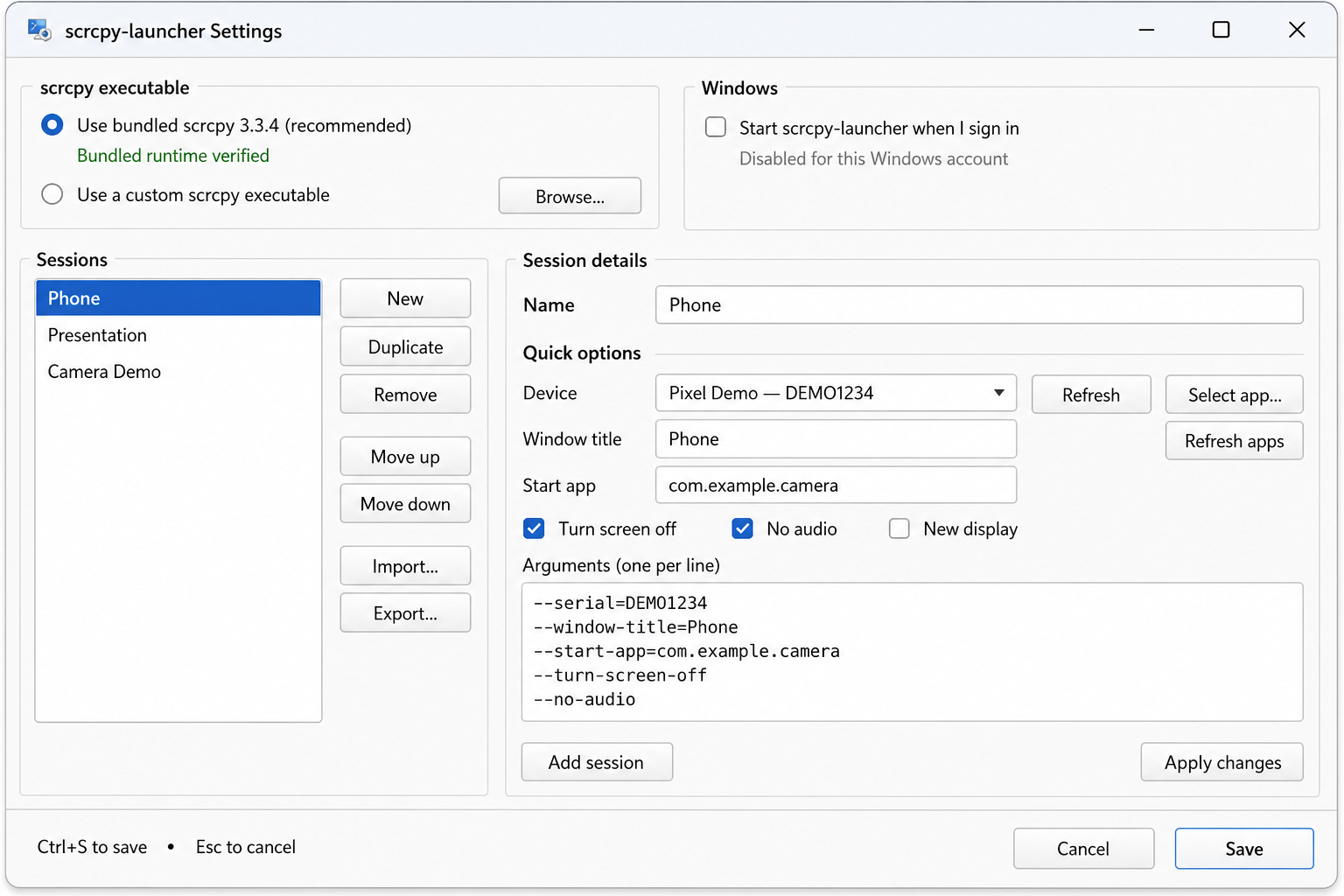
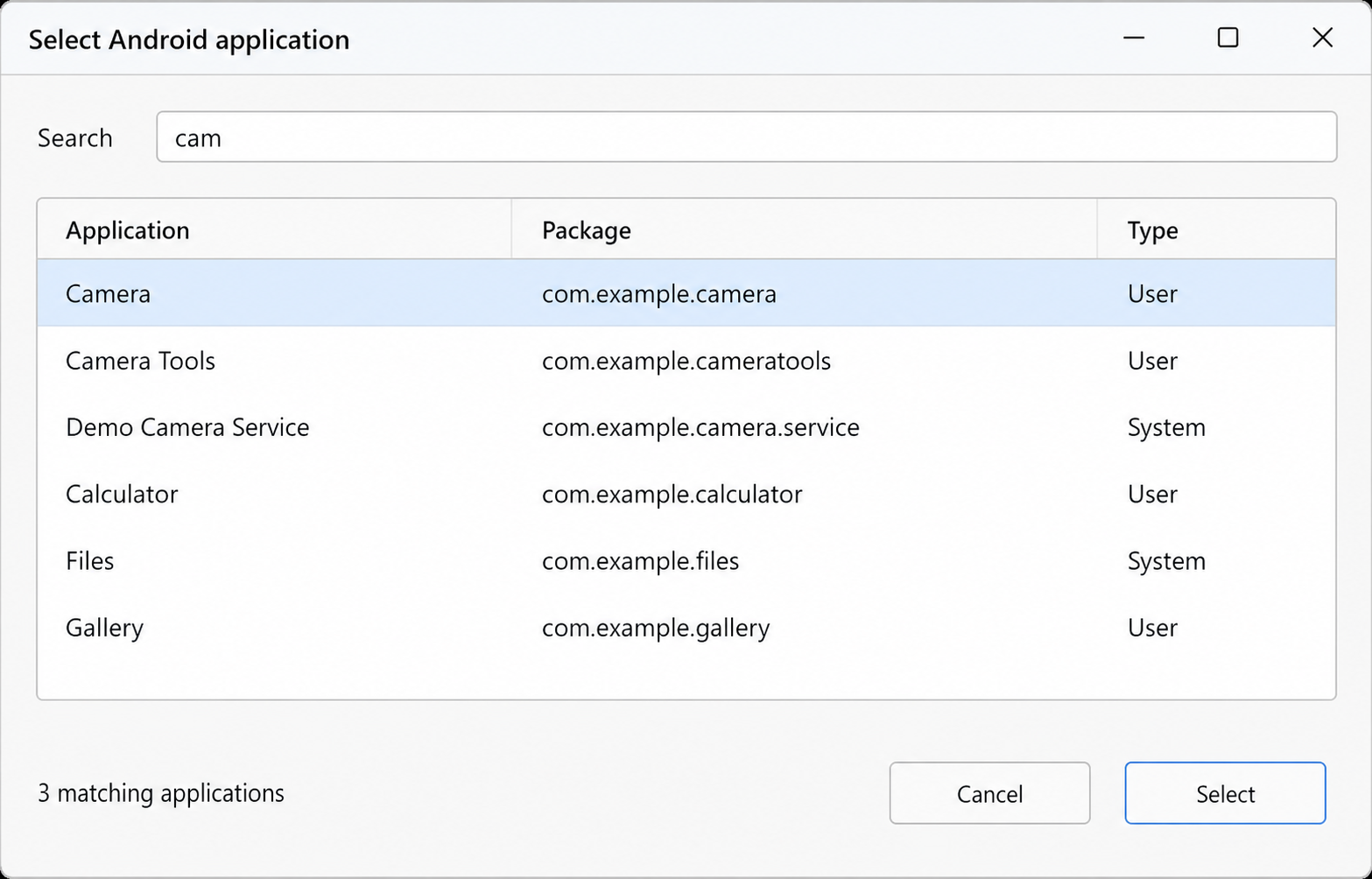
Installer or portable ZIP.
Every release page includes downloads and SHA-256 checksums.
Open latest release ↗Code signing policy
Free code signing provided by SignPath.io, certificate by SignPath Foundation.
scrcpy-launcher is preparing an application to the SignPath Foundation open-source code-signing program. Existing releases remain unsigned until approval and integration are complete.
The project is currently maintained by William Walsh (@wwalsh), who acts as the current committer, reviewer, and signing approver. External contributions require maintainer review before inclusion in an official release, and repository/signing administration accounts must use multi-factor authentication.
scrcpy-launcher does not collect telemetry or automatically send configuration, session, device, or application-inventory data to the maintainer. The only built-in Internet request is the user-initiated update check.
The package includes official scrcpy 5.0.1 and ADB; see third-party notices.
scrcpy-launcher is independent and not the official scrcpy project.